GDD Wizard
A downloadable tool for Windows, macOS, and Linux
Plan faster. Scope smarter. Finish stronger.
A lightweight wizard that helps jam teams and solo devs stay on track. Just open in your browser, fill out the guided prompts, and export to PDF/JSON.
Features
Guidance: Comes with instructions and examples for placeholder text
-
Diagram: Auto-generating Core Loop Diagram with adjustable sizes
-
Remote-friendly: share JSON or export a clean PDF for your team
-
Offline: no setup, no logins - runs right in your browser, or can be installed as an offline web-app
Multilingual: Currently supports English, Spanish, French, Portuguese, German, and Czech!
GDD Wizard UI: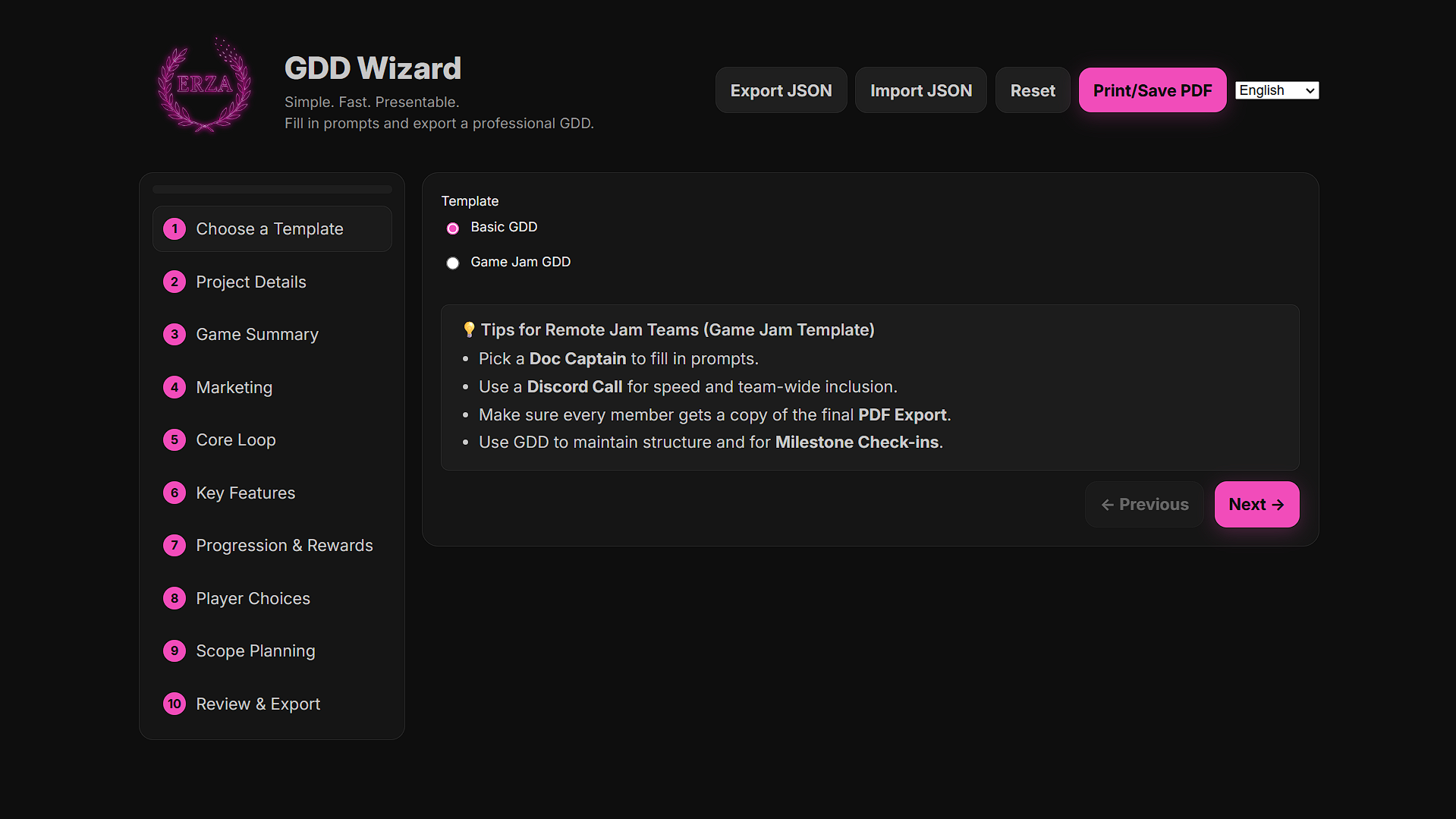
GDD Wizard was made for chromium browsers (tested in Google Chrome). Please report any bugs for other chromium browsers (Edge, Brave, Opera, Vivaldi) and we will try our best to fix them. Firefox and Safari are not supported.
PDF Export (Dark Theme, Page 1 of 4):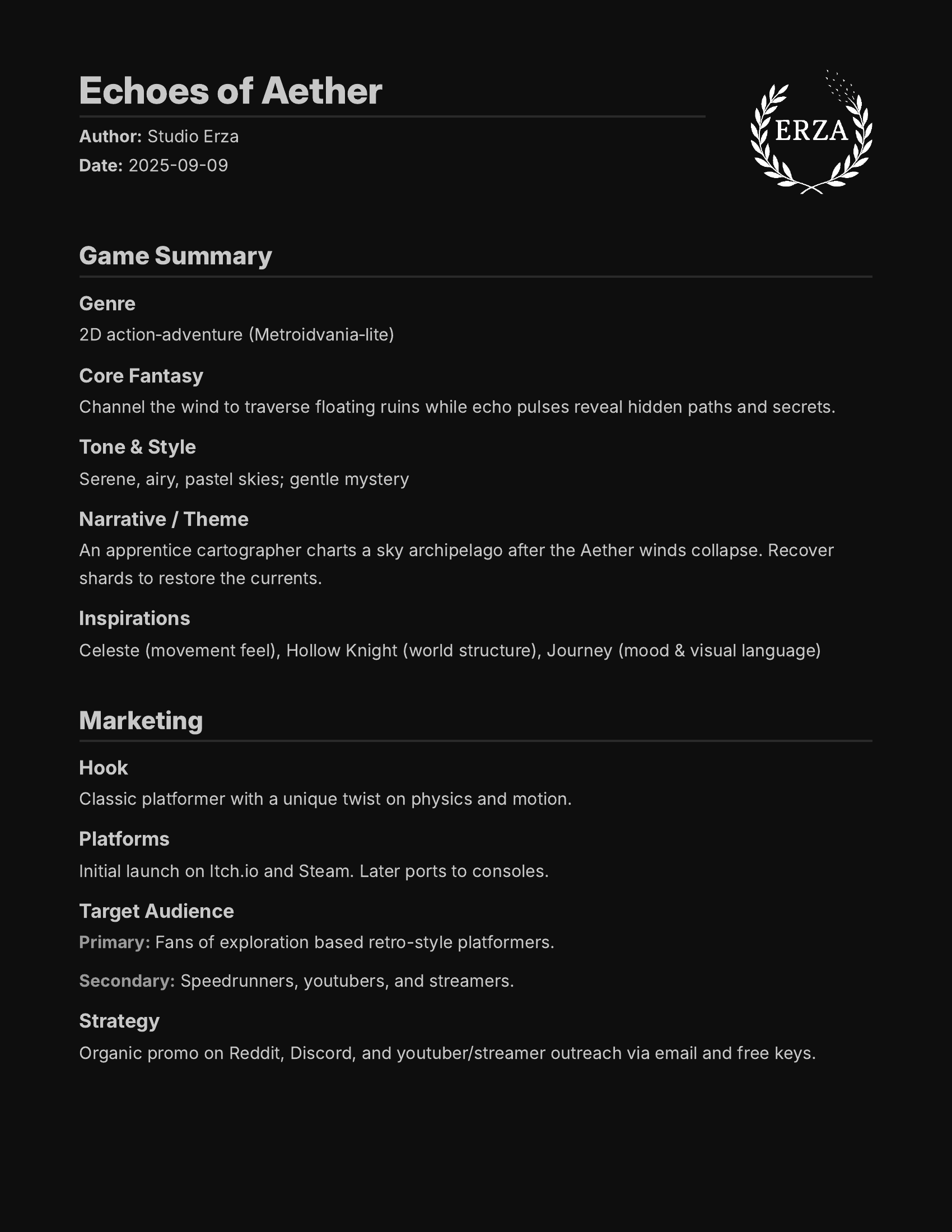
Check out the GitHub repo if you're not sure about it: https://github.com/Studio-Erza/gdd-wizard
Download
Install instructions
To launch GDD Wizard, simply click download and you'll be directed to the GitHub hosted server. You can use the "Install App" feature in your browser to use it offline. Made for Chromium browsers, tested using Google Chrome. Firefox and Safari are not supported.
Development log
- GDD Wizard v1.10.2 - Bullet Lists44 days ago
- GDD Wizard (Čeština)61 days ago
- GDD Wizard - Czech Update61 days ago
- GDD Wizard v1.6.575 days ago
- GDD Wizard - GitHub78 days ago
- GDD Wizard v1.6 - Marketing Section82 days ago
- GDD Wizard v1.5 - Bug Fix Update88 days ago
- GDD Wizard (Deutsch)Sep 25, 2025
Comments
Log in with itch.io to leave a comment.
I'm not sure if maybe I'm doing something wrong, but when testing this out to make a small gdd for a personal project using the Game Jam template, I was hoping to create a formatted bullet lists for a few of the fields, namely the "Plugins / Tools" and "Art / Audio Sources" fields, just to keep things neater.
Is there any Markdown or other formatting support implemented? Honestly, all I really need is newline support, but I can always edit the exported pdf. This is an amazing tool regardless!
Edit: I can see in the exported json that the newlines I added are definitely there, I'm just not seeing them in the preview or the PDF itself. I dunno if that helps much. I'm using Brave with the installed app.
Thank you for bringing this to my attention. You've contributed to making this tool better for everyone!
for v1.10.2, ive changed the two fields you mentioned They now use bullets instead of a regular text area. I also tested it in the brave browser and it seems to be functional.
Please let me know if you experience any other issues.
I was thinking that there could be more options for gdd templates, and you could even make custom ones for specific needs for like a large AAA game or templates like "Advanced" so you get more details but still have a small gdd?
Thank you for the suggestions!
I’ve been preoccupied with some dev work, but I do plan to add more templates, and even a custom template feature.
in the game loop section, adding an apostrophe to a word causes the resulting text in the pdf to say "undefined'
so like "Step 2: don't die" becomes "Step 2: donundefinedt die"
Nice catch!
Thank you for taking the time to report this. I’ll fix this as soon as possible.
The bug is now fixed so any symbols used in the Core Loop step (including apostrophe's) will now export correctly.
Thank you again for the feedback. You've contributed to making this program better for everyone!
Please, store the GDD WiZARD in HTML and FireBase server. It would be amazing. Its a nice idea. Congrats.
Thank you for the suggestion! For now our priority is polish and bug fixes, as well as adding new translations. We'll definitely be looking into an online option that supports an expanded saving system in the future!
If you try GDD Wizard during a jam, we'd love to hear how it worked for you — drop feedback and bug reports here